
 Ben Snape
One essential part of project management is keeping track and storing all of the relevant documents associated with your projects.
But what’s the best way to manage and access them, and how do you ensure you don’t lose them?
Here are three simple ways you can manage your project documents effectively.
Idea 1: A Shared network drive
If you work in an office with more than a couple of employees, you may be able to store your project documentation on your network somewhere. There are, however, some technicalities that need to be thought of first.
Do you have a server with a shared network drive set up so all staff members can access it?
Do you have backups of the data stored on the network drive?
These are both very valid questions you need to consider if you decide to store your project documents on your network.
Another valid question would be, can I access my documents when I am not in the office?
The answer to this question is probably no, but it all depends on how your network and server are set up. Again, more complexities to think about.
This question leads us nicely on to idea number 2, which is cloud storage.
Idea 2: Cloud storage, such as Dropbox or Google Drive
Everyone will have heard of cloud-based document storage, such as Dropbox and Google Drive. A few options are available, but like the one above, they require some thought when setting them up.
For instance, how are you going to organise the actual documents themselves? Can you create one folder per project and then upload your documents to that?
Will they be easy to find if you have many documents and projects as you add to the system over time?
Also, something else to think about is how you will share the documents with the client if need be?
Will you need to download the document from the cloud, attach it to an email then send it?
That’s not the best workflow.
Idea 3: An integrated cloud-based project management solution
An integrated project management solution in the cloud is an excellent way to keep all related documentation with the project. It eliminates the need to use multiple systems. Managing your project documents becomes pretty straightforward when you use an integrated system.
PlanMan lets you keep your projects and documents together, alongside the other records for each project.
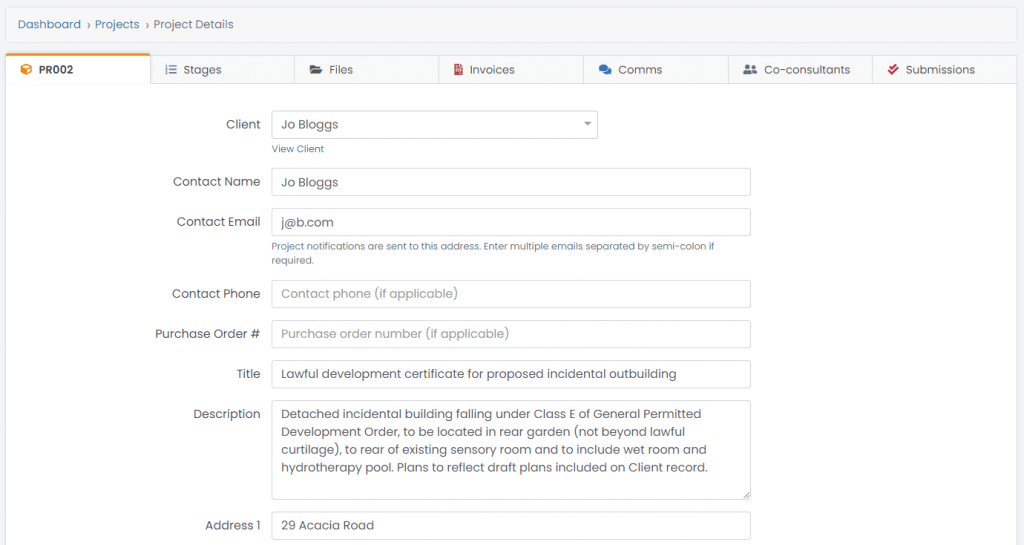
What makes it more compelling is that it allows you to give your clients their login to view everything relating to their projects, such as quotes, documents, invoices and communications.
Conclusion
Keeping enquiries, quotes, project records and invoices together reduces the time spent searching separate spreadsheets, emails and paper files.
Why not try out PlanMan free for 30 days? No credit card is needed, and you are under no obligation to carry on after the trial ends.